A VPN with Singapore servers gives your device a Singaporean IP address. Services see you as connecting from within the country, which resolves mewatch geo-blocks, DBS digibank session flags from overseas, and most Singapore-restricted access problems from anywhere in the world.
One distinction worth knowing: Singpass, CPF Online, IRAS myTax, and MOM portals apply no IP geo-block and work from any location without a VPN. The constraint for those services is Singpass authentication, not IP address.
How to get a Singaporean IP address
The four steps below connect you to a Singapore VPN server. For full setup guidance covering protocol selection, kill switches, and DNS leak settings, see the guide to changing your IP address location.
The screenshots use ProtonVPN to illustrate each step. The process is the same for any VPN with Singapore servers.
Step 1: Choose a VPN with Singapore servers
Pick a provider with a verified no-log policy and servers in Singapore.
Step 2: Download and install the app
Install the VPN app on your device.
Step 3: Connect to any Singapore server
Open the app, search for Singapore, and connect. Singapore is a city-state, so there is no city to choose from. If your provider offers sub-locations such as CBD, Marina Bay, or Jurong, any node works equally well for streaming and banking.

Step 4: Verify your IP shows Singapore
Run an IP check through BrowserLeaks to confirm your address shows Singapore before opening any service.

How a VPN assigns you a Singaporean IP
When you connect to a Singapore VPN server, your traffic routes through that server before reaching its destination. The service on the other end sees the server’s Singapore IP address rather than your real IP. For a full explanation, see How Does a VPN Work?. For Indonesian services including Vidio, myBCA, and access to the 2026 FIFA World Cup via Fola Play, see How to Get an Indonesian IP Address.

What a Singaporean IP address gives you access to
Streaming services use your IP to determine your location; most Singapore platforms restrict content to Singapore IPs. Banking access depends on both your IP and the digital token set up on your device. Government portals are different: Singpass, CPF, IRAS, and MOM apply no IP restriction and are accessible from any IP address worldwide.
| Service | Category | VPN needed? | Notes |
|---|---|---|---|
| mewatch (live TV + licensed content) | Streaming | Yes | Geo-restricted to Singapore; a Singapore VPN can restore access |
| mewatch (some archived on-demand) | Streaming | Not always | A portion of archived content is globally accessible without a VPN |
| Singtel CAST | Streaming | Does not help | Singapore-only per Singtel T&Cs; inaccessible from overseas even via a Singapore VPN; account management only |
| StarHub TV+ | Streaming | Yes | Geo-restricted to Singapore; standard Singapore VPN works |
| Viu (Singapore catalogue) | Streaming | Yes | Per-country catalogues routed by IP; Singapore catalogue served to Singapore IPs |
| iQIYI International | Streaming | Inconsistent | Active VPN detection widely reported; results are server-dependent |
| Netflix (Singapore library) | Streaming | Yes | Singapore library accessible with a Singapore IP; detection active across all Netflix markets |
| DBS / POSB digibank | Banking | Partial | Hosting IP may be flagged; digital token setup is the primary constraint |
| OCBC Digital | Banking | Partial | No documented IP geo-block on login; OneToken device-binding is the main overseas barrier |
| UOB TMRW | Banking | Partial | No documented IP geo-block on login; digital token mandatory since October 2023 |
| Singpass / CPF Online / IRAS myTax / MOM | Government | Not needed | No IP geo-block; Singpass authentication (Face Verification or +65 SMS OTP) is the only gate |
Watching Singapore streaming services from abroad
mewatch
mewatch is the Mediacorp streaming platform and the service most Singaporeans abroad need to reach. It carries Channel 5, Channel 8, Channel U, Suria, Vasantham, and CNA, along with partner channels and a paywalled mewatch Prime tier. Live TV and licensed or partner content are geo-restricted to Singapore; connecting through a Singapore VPN server can restore access, though whether it works depends on whether the specific server IP has been flagged by Mediacorp’s systems.
Not all mewatch content is geo-restricted. Some archived on-demand titles are globally accessible without a VPN. If a title plays without connecting first, it is not geo-restricted.
If a Singapore VPN does not restore access, try a different Singapore server before troubleshooting further. A DNS leak can also cause failures even when the VPN appears connected. Close the app fully, clear its cache, and reopen it after connecting; the geo-check runs at session initiation, so a session carried over from a previous non-Singapore connection can persist until the app is restarted.
Singtel CAST
Singtel CAST does not work with a standard VPN for content access. Singtel’s terms and conditions restrict CAST to use within Singapore and require users to warrant that they are located in Singapore; in practice, the service remains inaccessible from overseas even via a Singapore VPN. What remains available overseas is account management only. Singtel CAST is also unavailable on mobile web browsers, so switching to a laptop browser tab does not provide an alternative.
StarHub TV+
StarHub TV+ is geo-restricted to Singapore and works with a standard Singapore VPN. The QR code feature within the platform handles device pairing and account authentication; it does not validate your geographic location, so being connected to a VPN does not interfere with the pairing process.
Viu
Viu operates across 16 markets spanning Asia, the Middle East, and South Africa, routing each country’s content catalogue by IP address. A Singapore VPN server routes you to the Singapore catalogue. Viu is not Singapore-exclusive; the same IP-routing approach applies across all 16 of its markets.
iQIYI International
Use iQIYI International rather than the mainland China version of the app; the two are distinct services with separate catalogues. iQIYI International routes per-country catalogues by IP, but active VPN detection is widely documented across VPN-provider and user sources, and results are server-dependent. If one Singapore server is blocked, try a different one before concluding that access is unavailable.
VPN, Smart DNS, and proxy: which works for Singapore
The three tools take different approaches to changing how services see your location.
| Tool | How it works | Encrypts traffic? | Works for banking? | Works for streaming? |
|---|---|---|---|---|
| VPN | Routes all traffic through a Singapore server; services see the server’s IP | Yes | Partial (hosting IP may be flagged) | Yes, for most services |
| Smart DNS | Reroutes DNS queries through a Singapore proxy; your real IP is partially masked | No | Not recommended | Yes, for supported platforms |
| Proxy | Routes specific traffic through a Singapore proxy server | No | Not recommended | Limited; easily detected |
| Dedicated IP | A static Singapore IP assigned to you alone; not shared with other users | Yes (via VPN) | Better than shared VPN IP | Yes |
Apple TV (tvOS 17 or later) and Android TV / Google TV sets support native VPN apps and can be configured directly. Samsung (Tizen) and LG (webOS) Smart TVs, along with all games consoles, do not; Smart DNS can be configured in their network settings instead. For device-specific setup instructions and platform detection status, see the VPN vs Smart DNS guide. For a whole-network approach covering all devices without per-device setup, see the router VPN guide. For a full comparison of VPN and proxy, see VPN vs Proxy.
Banking from abroad: DBS, OCBC, and UOB
Device-bound tokens: the primary overseas constraint
Each of Singapore’s three major retail banks requires a device-bound digital token to authorise transactions. The token is the first thing to check before relying on a VPN to restore banking access from abroad; a VPN changes your IP, but it cannot substitute for a token you do not have set up.
DBS Digital Token is tied to one device per account. It works offline and overseas once set up. Activating it on a new device typically requires an SMS OTP sent to your registered Singapore (+65) number. DBS also offers two alternative activation paths: a DBS Secure Device (physical token) or a registration code mailed to your address, though the latter takes 3 to 5 working days. A 12-hour cooling period applies after setup, during which certain transactions such as adding new payees and high-value transfers are restricted. If you are abroad without the token configured and without the physical-token alternative already in hand, activation at short notice is not straightforward.
OCBC OneToken is device-bound to a single device. Singpass Face Verification may be required during activation. There is no documented IP-level geo-block on OCBC Digital login from non-Singapore IPs; where overseas login fails, the OneToken constraint is the typical cause.
UOB digital token has been mandatory for UOB TMRW users since October 2023. Setting it up on a new device deregisters the previous one, and a 12-hour cooling period applies after activation, during which certain transactions are restricted. As with OCBC, there is no documented IP-level geo-block on UOB TMRW login from non-Singapore IPs.
Neither OCBC nor UOB publishes how it treats overseas logins, and neither documents a blanket IP geo-block at the point of login. Risk-based step-up authentication on unusual sessions is standard banking practice and may be triggered by an overseas IP regardless, so an additional verification prompt is possible even when login itself succeeds.
Fraud detection
When a VPN routes traffic through a commercial datacenter server, the session IP is registered to a hosting provider rather than a residential ISP. Singapore’s major banks, in line with standard retail banking fraud practice, are understood to apply geo-velocity anomaly detection (sometimes called Impossible Travel detection), which flags an account accessed from a Singapore IP and then from a geographically distant IP within an implausibly short window. Shared VPN IPs, used simultaneously by many users, can also match botnet traffic patterns in automated fraud systems. A VPN resolves the IP-location check; it does not resolve these deeper fraud signals.
What to try if banking is still blocked
Work through these in order:
- Switch Singapore servers. Different nodes carry different risk histories; a less-flagged server IP may pass the fraud check.
- Use mobile data roaming with a Singapore SIM. A roaming connection uses a carrier-assigned IP that fraud systems treat as a normal consumer connection rather than a datacenter host.
- Configure split tunneling to exclude the banking app or the bank’s domain from the VPN tunnel, so the bank sees your actual local IP while the rest of your traffic remains encrypted.
- Request a dedicated IP from your VPN provider. A static IP assigned to you alone is less likely to be flagged as shared VPN traffic than a rotating pool IP shared with hundreds of other users.
Singpass, CPF, and IRAS overseas: the IP address is not the issue
Singpass, CPF Online, IRAS myTax Portal, and MOM services apply no IP-level geo-block. They are accessible from any IP address worldwide. Connecting to a Singapore VPN server before opening these portals provides no access benefit and is not required.
The constraint is Singpass authentication, not your location.
Face Verification (recommended for overseas users)
Face Verification through the Singpass app is the recommended authentication method for Singaporeans outside Singapore. It works from any country, requires no Singapore phone number, and is available to all Singpass account holders through the app. Open the Singpass app, select Face Verification when prompted, and complete the biometric check.
SMS OTP
The SMS OTP option requires a Singapore-registered +65 mobile number. If your registered number is a foreign number, or if your Singapore SIM is no longer active, this method is not available from abroad. Face Verification through the Singpass app is the practical alternative.
CPF, IRAS, and MOM
CPF Online, IRAS myTax Portal, and MOM services all use Singpass for authentication. If Face Verification is available through the Singpass app, you can access your CPF account, file taxes through IRAS, and use MOM services from anywhere.
Foreigners without a Singapore government-issued ID (NRIC or FIN) who need to file Singapore taxes (for example, overseas owners of Singapore property or former pass holders) can access IRAS myTax Portal using a Singpass Foreign user Account (SFA). The SFA does not require a Singapore +65 number. The mandatory second factor is the Singpass mobile app, which authenticates via fingerprint, face scan, or a 6-digit passcode; a one-time code is sent to a registered email address during initial setup only. There is no SMS or browser-only login path for SFA. The SFA must be applied for in advance, as activation can take up to 10 working days from Singpass.
If you cannot authenticate from abroad
If you are locked out of Singpass while overseas, two options are available: update your registered overseas address with the Immigration and Checkpoints Authority and switch your authentication method to Face Verification, or visit a Singpass counter in person with your NRIC or FIN.
Getting a Singaporean IP on your phone
iOS
When a VPN is active on an iPhone, iCloud Private Relay (an iCloud+ feature) is automatically disabled by iOS. Private Relay covers Safari browsing and DNS queries only; it does not apply to native apps such as mewatch or DBS digibank, which route through the VPN connection directly.
If you are using a VPN configured at the router level rather than on the device itself, the iPhone is unaware of the tunnel and Private Relay will remain active. Disable it manually under Settings before accessing Singapore services.
Android
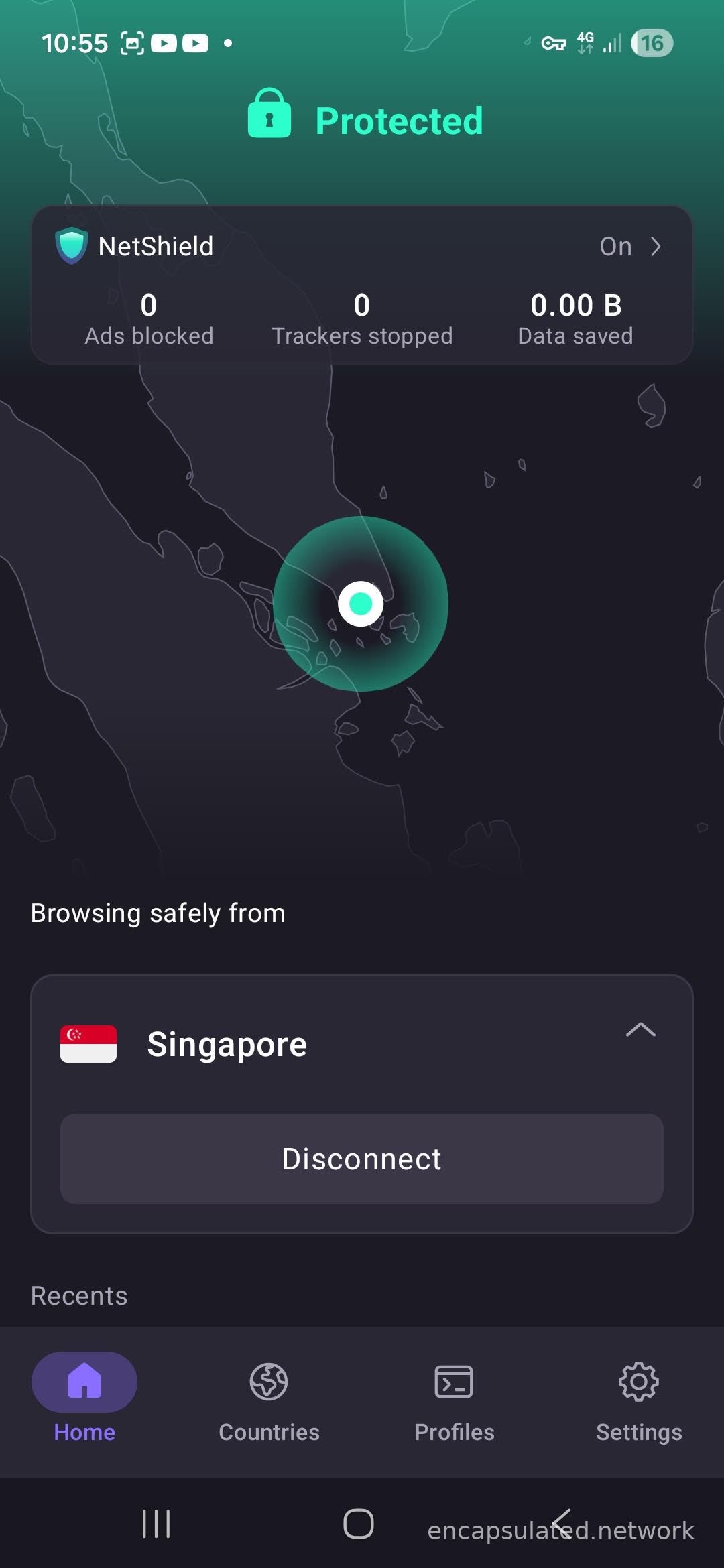
Connect through the VPN app; the key icon in the status bar confirms traffic is routing through the tunnel. On some Android devices, background battery optimisation can interrupt the VPN connection when the app moves to the background; set the VPN app to unrestricted in battery settings if you need a persistent connection.
Choosing a VPN for Singapore: what to look for
If you have not yet chosen a VPN, the five criteria below are the functional requirements that determine whether one will work for Singapore streaming, banking, and government portal access. A ranked list is not provided; rankings date quickly and reflect commercial arrangements as much as performance.
- Singapore server count and node diversity. A single server location means a single shared IP pool; if that IP range is blocklisted by mewatch or iQIYI International, there is no fallback. Multiple nodes within Singapore provide rotation options when one IP is detected and flagged.
- Dedicated IP availability. A static Singapore IP assigned to you alone, rather than shared across many users simultaneously, reduces the shared-IP signals that trigger banking fraud detection. This matters most when banking apps consistently reject shared VPN IPs despite switching servers.
- An independently audited no-log policy. A no-log claim without an external audit is unverifiable. For what an audit covers and what to look for in a VPN’s logging stance, see what is a no-log VPN?
- Protocol and obfuscation support. WireGuard provides the best speed-to-overhead ratio for most Singapore use cases. An obfuscated protocol option matters if you are connecting from a hotel network, a university campus, or any environment that actively filters VPN traffic. For a full protocol comparison, see VPN protocols explained.
- Split tunneling on your platform. The ability to exclude specific apps or domains from the VPN tunnel is useful for banking: routing banking traffic outside the VPN avoids the datacenter IP flag while keeping other traffic encrypted.
What to do if a service is still blocking you
Work through these steps in order.
- Switch Singapore servers. Server IPs are flagged and cleared over time; a different node often resolves a block that a specific IP triggers.
- Clear cookies and try an incognito window. A proxy or VPN detected error often clears once cached session data from a previous non-VPN visit is removed.
- Close the app fully and reopen it after connecting. Geo-checks run at session initiation; an app left open from a previous location may not re-evaluate its connection until it is restarted.
- Check for IP and DNS leaks. A leak exposes your real IP or DNS server to the destination service regardless of the VPN being active. See WebRTC leak: what it is and how to stop it.
- Switch VPN protocol. Some networks throttle or block common VPN protocols, including hotel networks and university campuses; switching protocol or enabling obfuscation can resolve this.
For banking apps that consistently reject VPN connections, mobile data roaming with a Singapore SIM provides a residential IP that bypasses datacenter IP detection entirely.
Is using a VPN legal in Singapore?
Using a VPN for personal privacy and to access geo-restricted content is legal in Singapore under all current legislation.
The Computer Misuse Act 1993, amended by the Computer Misuse and Cybersecurity (Amendment) Act 2017 (No. 22 of 2017) and further amended in 2023 and 2025, targets unauthorised access to computer systems. It does not prohibit VPN use.
The Cybersecurity Act 2018 regulates the protection of critical information infrastructure. It does not address individual VPN use.
The Online Safety (Miscellaneous Amendments) Act 2022 covers content moderation requirements for social media services. It has no provisions relating to VPN use.
The Online Safety (Relief and Accountability) Act 2025 (No. 23 of 2025), passed on 5 November 2025, establishes the Online Safety Commission and a statutory-torts framework for specified online harms such as intimate image abuse and online impersonation. Specified provisions of the Act commence on 29 June 2026. None of the commencing provisions prohibits individual VPN use or restricts access to content via VPN.
The Broadcasting (Class Licence) Notification applies to licensable broadcasting services. Individual VPN use is not covered.
The standard position applies: routing activity through a VPN does not change its legal status. If an act is illegal in Singapore, using a VPN does not make it legal.
Frequently asked questions
Will using a VPN slow down my connection?
A VPN adds a routing step between your device and the destination, which introduces some latency. The impact depends on your base connection speed, the protocol in use, and the distance to the Singapore server. Modern protocols such as WireGuard generally produce lower overhead than older options. For most streaming and banking tasks on a stable connection, the difference is not noticeable in practice.
Do free VPNs work for getting a Singapore IP?
Some free VPNs include Singapore servers, but performance and reliability are inconsistent. Free tiers typically apply bandwidth caps and slower speeds, and maintain a smaller pool of IPs that are more likely to be detected and blocked by streaming platforms. For banking and sensitive logins, using an untrusted free service introduces security risks that outweigh any cost saving.
Do I need to keep the VPN connected all the time?
No. Connect when you need to access a geo-restricted Singapore service and disconnect when you are done. For banking, some users connect only for the banking session and disconnect afterwards, to avoid the VPN IP being present during unrelated activity.
Does Singpass work with a VPN?
Singpass portals apply no IP geo-block, so they are accessible without a VPN from any location in the world. Connecting to a Singapore VPN server before opening CPF Online, IRAS myTax Portal, or any other Singpass-gated service is not necessary. The access constraint is Singpass authentication: Face Verification through the Singpass app, or an SMS OTP to a registered +65 number.
Can I access my CPF account from overseas?
Yes. CPF Online uses Singpass for authentication and applies no IP-level geo-block. Log in using Face Verification through the Singpass app, which works from any country without requiring a Singapore phone number. If you rely on SMS OTP, you need your registered Singapore +65 number reachable by SMS.
Singapore is a city-state — does it matter which Singapore server I pick?
No. There is no city-level distinction within Singapore to choose between, unlike countries where different cities give access to different regional services or catalogues. If your VPN provider lists sub-locations such as CBD, Marina Bay, or Jurong, any of them provides the same access for streaming and banking. The only meaningful difference between nodes is latency.
Why is DBS, OCBC, or UOB still blocking me after connecting to a Singapore server?
A Singapore VPN resolves the IP-location check but not the other signals that banking fraud systems evaluate. The most common causes are: the server IP is registered to a commercial datacenter and is flagged by fraud detection (try a different server, use mobile data roaming, or use split tunneling to route banking traffic outside the VPN tunnel); geo-velocity detection has flagged the session because the account was accessed from a different location recently; or the digital token has not been set up on a device you have with you.
Is it safe to use a free proxy for DBS or other Singapore banking?
No. Free proxies typically lack encryption, which means banking credentials and session data pass through the proxy server in a form that can be intercepted. For any banking or sensitive login, a paid VPN with a verified no-log policy is the appropriate tool.
Does Singapore Netflix work with a VPN?
Netflix applies multi-layer detection across all markets and actively blocks known VPN IP ranges. A Singapore VPN server may give access to the Singapore Netflix library, but results are server-dependent and change as Netflix updates its detection. The Singapore library contains some titles not available on other country versions of the service.
Can I connect to Singapore services from any country?
Yes, with two qualifications. First, some networks block or throttle standard VPN protocols; an obfuscated protocol typically resolves this on hotel networks, university campuses, and environments with active traffic inspection. Second, Singtel CAST content is inaccessible from overseas regardless of which country you are connecting from or which Singapore VPN server you use; Singtel’s terms and conditions restrict the service to users located in Singapore.
I am a foreigner required to file IRAS taxes in Singapore — do I need a Singapore IP?
No. IRAS myTax Portal applies no IP-level geo-block and is accessible from any country without a VPN. Foreigners without a Singapore government-issued ID file using a Singpass Foreign user Account (SFA), which does not require a +65 number. The Singpass mobile app is the mandatory second factor, authenticating via fingerprint, face scan, or a 6-digit passcode; there is no SMS or password-only login path for SFA. Apply for the account in advance, as activation can take up to 10 working days. The practical requirement is a smartphone running the Singpass app, not a Singapore SIM.
Can I use a Singapore VPN on my Smart TV, Apple TV, or games console?
It depends on the device. Apple TV running tvOS 17 or later (released September 2023) supports native VPN apps; install one directly from the App Store and configure it on the device, the same way you would on an iPhone. Android TV and Google TV sets (common on Sony, Philips, TCL, and some Hisense models) can also install a VPN from the Google Play Store. Samsung (Tizen) and LG (webOS) Smart TVs do not support VPN apps. PlayStation, Xbox, and Nintendo Switch have no native VPN app support. For devices without a native option, three alternatives cover them: Smart DNS configured in the network settings (streaming only, no encryption), a VPN at the router level, or a mobile hotspot from a device already running the VPN.