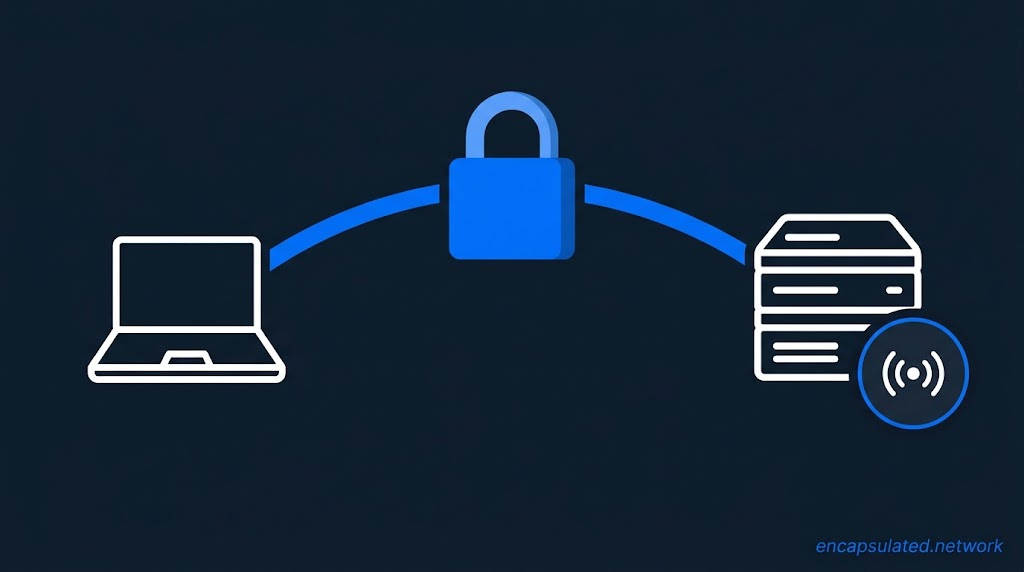
A remote access VPN is a VPN deployment in which individual endpoint devices connect to a corporate or organisational network through an encrypted tunnel terminating at a VPN gateway the organisation controls. The gateway authenticates each user or device, enforces access policy, and provides a path to internal resources. From the internal network’s perspective, the remote device appears locally attached.
TL;DR
- A remote access VPN connects an individual endpoint device to a corporate network through an encrypted tunnel terminating at a gateway the organisation controls. It is not a consumer VPN: the organisation owns the gateway, sets the policies, and the tunnel provides corporate network access; whether general internet traffic is also routed through it depends on the routing policy the organisation configures.
- Three components are required: a VPN client on the endpoint, a VPN gateway at the network perimeter, and an authentication backend that validates identity before the tunnel is admitted. RADIUS is widely used as the backend protocol, and SAML 2.0 identity providers are also used for federated single sign-on. Enterprise gateways use two protocol families: IPsec-based and SSL/TLS-based tunnels.
- Enterprise features beyond the tunnel include endpoint posture assessment (which may run before admission or in a post-connection restricted state), Always-On VPN (device tunnel before logon, user tunnel after), and Trusted Network Detection (suppresses the tunnel when the client is already on the corporate network).
- A remote access VPN grants network-wide access after a single authentication, which means an admitted compromised endpoint can move laterally. The gateway is internet-facing and a high-value target. Zero Trust Network Access replaces the network-level grant with per-application access, granted per session and re-evaluated when identity, device posture, or context changes; many organisations run both during a transition.
Terminology and core components
A remote access VPN is a deployment in which individual endpoint devices (laptops, workstations, mobile devices) connect to a private corporate network over the public internet through an encrypted tunnel. The tunnel terminates at a VPN gateway the organisation controls. Remote access VPNs are also called client-to-site VPNs, and Microsoft Azure documentation uses the term point-to-site for the same deployment pattern; “roadwarrior” also appears in some configuration documentation (strongSwan, for example, uses it for the remote client role). Unlike a site-to-site VPN, which connects two fixed network perimeters through gateway-to-gateway tunnels, a remote access VPN connects individual devices on demand or continuously in Always-On deployments.
Three components form the remote access VPN architecture:
- VPN client: Software running on the endpoint. It handles authentication, establishes the cryptographic tunnel, creates a virtual network interface on the device, and modifies the routing table so that designated traffic flows through the tunnel rather than the physical adapter.
- VPN gateway (concentrator): The organisational infrastructure endpoint at the network perimeter. It terminates tunnels from many remote clients simultaneously, decrypts incoming traffic, enforces access policy, and forwards requests to internal resources.
- Authentication backend: The system that validates client identity before the gateway admits the tunnel. RADIUS is widely used here, and SAML 2.0 identity providers are also used for federated single sign-on against directories such as Microsoft Entra ID or Okta.
Once authenticated and admitted, the client device receives an internal IP address from the gateway’s address pool, and the routing table is updated to send designated traffic through the virtual tunnel interface. Internal servers see requests arriving from a corporate address space.
Remote access VPN vs consumer VPN
The distinction is organisational ownership and policy control. In a consumer VPN, a third-party provider operates the gateway and the user is a subscriber. In a remote access VPN, the organisation operates the gateway, determines who can connect, manages the certificate infrastructure or identity provider integration, applies endpoint posture requirements, and decides what traffic the tunnel carries. The tunnel’s purpose is corporate network access; whether general internet traffic is also routed through it depends on the split or full tunnel policy the organisation sets.
Remote access VPN vs remote desktop
A remote access VPN and remote desktop software solve different problems: the VPN decides whether a device can reach the internal network, and remote desktop software lets a user operate one specific machine inside it. The two are commonly combined, with the remote desktop connection run through the VPN tunnel rather than exposed directly to the internet. For connecting into a home network rather than a corporate one, a self-hosted VPN deployment is the more common approach.
How a remote access VPN works
A remote access VPN session operates in four phases. For the packet-level mechanics of tunnel construction and encapsulation, see how a VPN works and what a VPN tunnel is.

- Secure channel negotiation. The client contacts the gateway and they negotiate cryptographic parameters: cipher suite, key exchange algorithm, and session keys. Current protocol versions provide forward secrecy by default: IKEv2 and TLS 1.3 full handshakes use an ephemeral key exchange, so compromise of long-term key material does not expose past sessions. Some configurations weaken this: Child SA rekeys without a new Diffie-Hellman exchange remove the forward secrecy guarantee for traffic protected by the rekeyed SA.
- Authentication. Inside the established channel, the client presents credentials to the gateway. The gateway checks the credentials with the backend (RADIUS, LDAP/Active Directory, or a SAML identity provider the client is redirected to). Multi-factor authentication, where required by policy, is enforced at this step. Where posture assessment is configured, evaluation runs either before the tunnel is fully admitted or after connection in a restricted state, depending on the product and configuration.
- Traffic forwarding. The VPN client creates a virtual network interface and modifies the device’s routing table. Traffic matching the tunnel policy is encapsulated by the client and sent to the gateway. The gateway decrypts it and forwards the request to the internal resource. The response is encrypted by the gateway, sent back through the tunnel, and decrypted by the client.
- Teardown. When the session ends, the client removes the virtual interface, restores the routing table, and discards session keys. Where a fail-closed policy is configured (for example, Cisco Secure Client’s closed connect failure policy under Always-On), traffic other than to the VPN gateway is blocked (with limited local exceptions) whenever the tunnel is down, until it reconnects.
Who uses a remote access VPN?
Remote access VPN users fall into four groups, each placing different demands on authentication, posture policy, and routing.
- Travelling and home workers: Staff connecting from hotels, client sites, or home broadband, typically on corporate devices under full MDM management.
- Contractors and third parties: Scoped access, often on unmanaged devices. Endpoint posture assessment and per-group access policy are most critical here: a contractor profile can restrict access to a specific application subnet with no broader network visibility.
- Privileged administrators: Separate connection profiles with stricter authentication requirements, often requiring certificate-based authentication and a dedicated access VLAN.
- Mobile and BYOD users: Smartphones and tablets with IKEv2 clients. On iOS and Windows, native clients are provisioned via MDM; Android deployments typically push a VPN app via MDM. MOBIKE allows IKEv2 tunnels to survive network transitions between Wi-Fi and cellular without re-authentication.
Remote access VPN protocols
IPsec/IKEv2
IPsec with IKEv2 (Internet Key Exchange version 2, RFC 7296) is the protocol built into the native VPN clients of the major operating systems. IKEv2 handles authentication and key negotiation over UDP port 500. If a NAT is detected, IKEv2 moves to UDP 4500 and ESP is encapsulated in UDP on the same port; ESP travels as IP protocol 50 only on paths with no NAT.
MOBIKE. RFC 4555 extends IKEv2 with Mobility and Multihoming (MOBIKE). MOBIKE allows an established IKEv2 tunnel to survive network transitions, such as switching from Wi-Fi to a cellular connection, without re-authentication. The tunnel updates its address bindings in place.
Native OS clients. Windows, macOS, iOS, and Android include native IKEv2 client implementations. On Windows, iOS, and macOS, IT administrators can provision connection profiles via MDM without deploying a third-party client; Android deployments typically push a dedicated VPN app via MDM instead. Advanced enterprise features (posture assessment, Always-On enforcement, and Trusted Network Detection) require either the native platform’s built-in policies or a dedicated enterprise VPN client, depending on the feature and platform.
SSL VPN: portal and tunnel modes
“SSL” is retained as the category name although current implementations use TLS (and DTLS). SSL VPN delivers remote access over TLS on TCP 443 (and, where DTLS is used, UDP 443); TLS on TCP 443 traverses restrictive networks that block the UDP ports IPsec needs. NIST SP 800-113 (2008) describes two primary types of SSL VPN: portal VPNs, which proxy specific applications, and tunnel VPNs, which extend network-layer access.
SSL portal VPN (clientless). An SSL portal VPN delivers access to specific internal applications through a reverse proxy running on the gateway. The user authenticates to a web portal over HTTPS; the gateway proxies requests to internal web applications, file shares, and other configured resources. No VPN client is installed on the device. The architecture is inherently limited to protocols the gateway understands at the application layer; it is appropriate for lightweight browser-based access or as a delivery mechanism for deploying the full VPN client. Cisco removed clientless SSL VPN from ASA software in version 9.17(1); it was never available on Firepower Threat Defense (FTD), and no current Cisco firewall platform supports it.
SSL tunnel VPN. An SSL tunnel VPN installs a client that creates a network-layer encrypted tunnel over TLS or DTLS, behaving functionally like an IPsec VPN.
TCP Meltdown. SSL tunnel VPNs that carry the data channel over TCP face a structural performance problem defined in RFC 9329 §9.1. When the outer TCP connection (the TLS tunnel) loses a packet, that loss is hidden from the inner TCP connections carrying application traffic. The inner TCP engines interpret the resulting latency as their own loss event and retransmit, adding load to the outer connection. The two retransmission mechanisms interact and can severely degrade throughput. This is the TCP Meltdown condition; it affects any tunnel that carries TCP application traffic inside a TCP transport: TLS-over-TCP SSL VPN, IKE/ESP over TCP (RFC 9329), OpenVPN in TCP mode, and similar configurations. DTLS (Datagram Transport Layer Security, RFC 6347 for version 1.2; RFC 9147 for 1.3) resolves this by running TLS-equivalent security over UDP; DTLS does not retransmit application data, so the TCP Meltdown condition does not arise.
Cisco Secure Client (formerly AnyConnect) sequence. In Cisco Secure Client deployments, the client first establishes a TLS session on TCP port 443 for control traffic. The client then adds a DTLS tunnel on UDP port 443 for the data channel. If DTLS cannot be used, traffic continues over the existing TLS session, provided the gateway has Dead Peer Detection configured. Other vendors use different transports: GlobalProtect negotiates IPsec with UDP-encapsulated ESP rather than DTLS; Fortinet replaced SSL VPN tunnel mode with IPsec from FortiOS 7.6.3.
SSL VPN vs IPsec/IKEv2 at a glance
For a full comparison of VPN protocol characteristics and selection guidance, see the VPN protocols guide.
The SSL column uses Cisco Secure Client as its reference. GlobalProtect uses a different transport: TCP 443 for TLS control and tunnel fallback, UDP 4501 for ESP keyed over TLS without IKE. Open-source clients such as OpenVPN use different ports and transport mechanisms.
| Dimension | IPsec/IKEv2 | SSL tunnel VPN (Cisco Secure Client) |
|---|---|---|
| Transport and ports | UDP 500; UDP 4500 for IKE and ESP when NAT is present; ESP (IP 50) otherwise | TCP 443 (TLS control), UDP 443 (DTLS data) |
| Firewall/NAT traversal | Blocked where UDP 500/4500 are restricted | TCP 443 passes most firewalls and proxies; UDP 443 (DTLS) may be blocked, with fallback to TLS |
| Client requirement | Native OS client or enterprise VPN client | Enterprise VPN client (Windows also includes a native SSTP client) |
| Network mobility | MOBIKE updates address bindings in place without re-auth | Cisco Secure Client re-establishes the data tunnel within a persisting gateway session without re-auth; TLS-over-TCP configurations reconnect fully on IP change |
| TCP Meltdown risk | None over UDP; present if IKE/ESP is TCP-encapsulated (RFC 9329) | Present if data channel runs over TCP; DTLS eliminates it |
Legacy protocols: PPTP and L2TP/IPsec
PPTP must not be used for remote access VPN: its authentication (typically MS-CHAPv2 over PPP) is carried without an outer encryption layer, making a captured handshake directly susceptible to offline attack; see the PPTP analysis for the full breakdown.
L2TP/IPsec tunnels PPP frames over an L2TP session protected by IPsec using IKEv1. IKEv2 supersedes it in negotiation efficiency, NAT traversal, and MOBIKE support; L2TP/IPsec deployments should migrate to IKEv2.
Enterprise authentication
Gateways usually delegate authentication to a backend (RADIUS, LDAP/Active Directory, or a SAML identity provider) and enforce the result.
RADIUS. RADIUS is a widely used authentication protocol for VPN gateways. The gateway acts as a RADIUS client and forwards authentication requests to a RADIUS server, which validates credentials against a directory (Active Directory, LDAP) and returns Access-Accept, Access-Reject, or Access-Challenge (used to prompt for a second factor). RADIUS is the common integration point, not a universal requirement: deployments vary in how many components sit between the gateway and the directory.
SAML 2.0. Gateways that support SAML 2.0 act as a Service Provider (SP) and redirect authentication to an external Identity Provider (IdP). In the SP-initiated flow, the user initiates a VPN connection; the gateway redirects the authentication request, and the VPN client presents the IdP login page. By default, enterprise clients present this page inside an embedded browser built into the application: WebView2 on Windows (documented for Cisco Secure Client and GlobalProtect), and WKWebView on macOS (documented for GlobalProtect). Administrators can switch to the system browser; this is required for authentication methods such as WebAuthn and FIDO2 that the embedded browser cannot handle.
Certificate authentication and EAP methods. IKEv2 supports certificate-based authentication and two EAP methods common in enterprise deployments. Certificate authentication without EAP (used in device tunnels and machine authentication) proves possession of an organisation-issued certificate in the IKEv2 AUTH payload; no password is transmitted and there is no credential susceptible to phishing or offline attack. EAP-TLS also authenticates the client with a certificate over the EAP framework, with the same properties.
EAP-MSCHAPv2 authenticates with a username and password through a challenge-response exchange. Inside IKEv2, the EAP exchange is protected by the IKEv2 SA, but a captured challenge-response is susceptible to offline cracking regardless of password strength if the attacker can act as the SA endpoint (for example, when the client does not validate the gateway certificate). The exchange is also exposed on an unprotected gateway-to-RADIUS path: when the gateway relays EAP-MSCHAPv2 to a RADIUS server, the EAP-Message attributes are not encrypted by RADIUS (RFC 3579 §4.3), and a captured exchange is susceptible to the same offline cracking.
Enterprise VPN features
Endpoint posture assessment
Endpoint posture assessment evaluates the security state of the device, either before the tunnel is admitted or immediately after connection. The gateway requires the client to report device attributes such as OS version and patch level, presence of endpoint detection software with current signatures, disk encryption status, firewall state, and whether the device is managed by an MDM solution.
Enterprise VPN clients, Cisco Secure Client (formerly AnyConnect), Palo Alto GlobalProtect, and Ivanti Secure Access Client (formerly Pulse Secure Client), include posture agents (licensing varies by vendor) that run these checks and report results to the gateway. Where evaluation runs post-connection, the device is held in a restricted state until posture completes. The gateway maps the posture result to an access policy: a compliant device may receive full tunnel access; a partially compliant device may be restricted to a quarantine VLAN or a subset of applications; a non-compliant device may be denied admission entirely.
Native OS IKEv2 clients do not include posture agents. Conditional Access policies via Microsoft Entra ID can enforce device compliance checks before issuing a short-lived certificate the client uses to authenticate to the gateway, but the posture evaluation runs at the identity platform layer, not in the VPN client.
Always-On VPN
Always-On VPN connects the tunnel automatically without user action. Whether the device is blocked from the network while the tunnel is down depends on configuration. Cisco Secure Client’s closed connect failure policy blocks traffic other than to the VPN gateway, with limited local exceptions (such as printers and tethered devices permitted by split tunnelling); Windows LockDown mode allows traffic only over the VPN interface until the tunnel reconnects. Windows Always On VPN’s default mode connects automatically but does not block traffic while the tunnel is down.
Windows Always-On VPN, deployed through Microsoft Intune, Configuration Manager or PowerShell, supports two tunnel types:
- Device tunnel: Established before any user is logged on. Requires Windows Enterprise or Education edition (Windows 10 version 1709 or later), domain join, and IKEv2. Carries machine authentication and management traffic: Group Policy update, remote management, and device certificate renewal all need network access before the user session exists.
- User tunnel: Established after user logon. Available on a wider range of Windows editions. Microsoft’s Always On VPN documentation lists IKEv2 and SSTP as the supported protocols; the underlying Windows VPN profile (VPNv2 CSP) also accepts the deprecated L2TP and PPTP, though those are not documented for Always-On VPN deployments. Carries user-context application traffic and resource access for the signed-in account.
A fully protected device runs both tunnels concurrently after logon: the device tunnel connects before sign-in and remains up for management traffic; the user tunnel connects after sign-in to carry user traffic.
Trusted Network Detection
Trusted Network Detection (TND) by default suppresses the VPN tunnel when the client determines it is already on the corporate network, preventing unnecessary traffic hairpinning through the gateway. The detection mechanism differs by implementation.
Windows Always-On VPN TND uses two conditions that must both be satisfied: the active physical interface’s DNS suffix must match a list of trusted DNS suffixes the administrator defines in the VPN profile, and the network connection must be classified as private or MDM-provisioned. Windows Always-On VPN TND performs no HTTPS probe.
Cisco Secure Client Secure TND evaluates the physical interface’s DNS domain and configured DNS servers against defined criteria. Optionally, administrators configure Trusted Servers: internal HTTPS endpoints the client probes, verifying the server’s certificate against a pre-configured SHA-256 fingerprint. If Trusted Servers are configured, at least one must be reachable with a matching certificate hash before the network is classified as trusted. The action on a trusted classification is configurable: disconnect (the default), connect, pause, or take no action.
A common point of confusion: Network Location Server (NLS) is a DirectAccess concept and does not carry over to Windows Always-On VPN.
Split tunnel vs full tunnel
Remote access VPNs operate in one of two routing modes. Split tunnel mode sends only traffic destined for configured internal address ranges through the tunnel; all other traffic, including general internet access, continues through the device’s physical interface. Full tunnel mode routes all traffic through the gateway regardless of destination.
Full tunnel gives the organisation enforcement over all remote traffic: DLP controls, threat inspection, and compliance logging apply equally to corporate and internet traffic. The trade-off is that the gateway becomes the bottleneck for all remote internet access, adding latency and bandwidth cost for internet-destined traffic. Split tunnel reduces gateway load and improves internet performance, but that traffic from corporate devices is not inspected by the VPN gateway. For a full treatment of split tunnel mechanics, configuration approaches, and risk considerations, see VPN split tunnelling.
Remote access VPN client software
Remote access VPN clients fall into three categories.
- Native OS clients: IKEv2 client stacks built into Windows, macOS, iOS, and Android. Provisioned via MDM profiles on Windows, iOS, and macOS; Android typically uses a VPN app deployed via MDM. No posture agent is included; enterprise features such as Always-On enforcement and TND require additional platform configuration or a separate enterprise client.
- Enterprise proprietary clients: Cisco Secure Client (formerly AnyConnect), Palo Alto GlobalProtect, and Ivanti Secure Access Client (formerly Pulse Secure Client). Include posture agents (licensing varies by vendor), Always-On enforcement, TND, and split-tunnel policy management. Support TLS-based tunnels and an IPsec-based alternative; the IPsec variant differs by vendor (IKEv2 in Cisco Secure Client; ESP keyed over TLS without IKE in GlobalProtect).
- Open-source clients: OpenVPN uses TLS for authentication and key exchange on its control channel, and encrypts tunnelled traffic in a separate data channel over UDP (default) or TCP, available on all major platforms. WireGuard is a modern protocol using the Noise Protocol Framework (Noise_IKpsk2 handshake) and ChaCha20-Poly1305 authenticated encryption. Both are commonly used in self-hosted deployments; see self-hosted VPN for deployment context.
Advantages and limitations of a remote access VPN
A remote access VPN gives an authenticated device an encrypted path into the organisation’s network from any location. The same design produces its main weaknesses: the access it grants is network-wide, and the gateway that grants it is exposed to the internet.
Advantages
- Encrypted network-layer access from any network: The tunnel protects all in-scope traffic between the endpoint and the gateway regardless of the underlying network.
- Works for legacy and non-web applications: Applications requiring arbitrary TCP/UDP access or non-HTTP protocols are accessible through the tunnel without modification. Agentless (browser-based) ZTNA is limited to web protocols; client-based ZTNA can carry other TCP and UDP applications through a connector.
- Centralised authentication and access policy: All remote access passes through a central gateway (or gateway cluster), which applies consistent MFA enforcement, posture checks, and routing policy.
- Native OS support lowers deployment cost: IKEv2 clients built into Windows, macOS, and iOS reduce the need for third-party client deployment for basic connectivity on those platforms.
Limitations and security risks
- Network-wide implicit access: After a single successful authentication, the admitted device has routing access to every resource the tunnel policy permits. The access grant is not scoped to individual applications.
- Lateral movement risk: An endpoint that is compromised before or after admission carries that compromise into the network. Lateral movement (an attacker traversing from an initial compromised host to other internal systems) is facilitated by the network-level access the tunnel provides. Endpoint posture checks reduce but do not eliminate this risk: posture checks are point-in-time or periodic, and read a fixed set of device attributes; a compromise that does not change those attributes, or happens between checks, is not detected.
- Internet-facing gateway: The VPN gateway is a publicly reachable service. Exploitation of vulnerabilities in gateway software has been a consistent theme in advisories from CISA and other agencies, covering Ivanti Connect Secure, GlobalProtect, and others across multiple years.
- Capacity and single point of failure: Loss of the gateway (or the whole cluster) affects all remote workers; in full tunnel mode it also removes their internet access, and all internet traffic adds to gateway load.
Remote access VPN vs site-to-site VPN
A remote access VPN connects individual endpoint devices to a corporate network on demand or continuously in Always-On deployments. A site-to-site VPN connects two fixed networks permanently through gateways at each perimeter; devices behind those gateways do not run VPN software.
| Dimension | Remote access VPN | Site-to-site VPN |
|---|---|---|
| What connects | Individual endpoint device | Two network perimeters |
| VPN client on endpoint | Yes | No |
| Topology | Many clients to one gateway | Gateway to gateway |
| Tunnel lifetime | User-initiated or always-on, per device | Persistent |
| Typical use case | Remote and mobile workers | Branch office or datacentre interconnect |
Remote access VPN vs ZTNA
Zero Trust Network Access (ZTNA) is an access architecture in which trust is never granted by network location. A device on the corporate LAN and a device on an external network receive the same level of scrutiny. Access is granted per application, per session, evaluated against identity, device posture, and context, and can be re-evaluated during the session when any of those factors change.
The architectural difference from a remote access VPN is the boundary of the access grant. A remote access VPN authenticates once per session and, on success, grants network-level access: the device receives an internal IP address and can reach any resource the routing policy permits. ZTNA creates a logical boundary around each application. The connecting device never receives general network visibility; it receives access to specific authorised applications.
Many organisations run both during a transition. Remote access VPNs remain the practical path for legacy applications, flat network resources, and applications that need full network-layer reachability or inbound connections to the client. ZTNA is typically deployed first for private web applications and other internal applications that can be published through the broker. Client-based ZTNA can carry arbitrary TCP and UDP applications through a connector; the limitation to web protocols applies to agentless, browser-based ZTNA deployments.
Post-quantum cryptography and remote access VPN
The key exchange in IKEv2 and in TLS/DTLS-based SSL VPNs relies on (elliptic-curve) Diffie-Hellman ((EC)DH). The harvest-now-decrypt-later threat model applies: adversaries record encrypted VPN sessions today and retain them for decryption once capable quantum hardware exists.
The IETF has standardised two IKEv2 mechanisms for different time horizons. RFC 8784 (PSK mixing, June 2020) is an interim mitigation: a post-quantum preshared key pre-distributed out-of-band is mixed into IKEv2 key derivation (SK_d, SK_pi, SK_pr), with the (EC)DH exchange unchanged. RFC 9370 (multiple key exchanges in IKEv2, May 2023) is the long-term approach: it defines hybrid key exchange combining (EC)DH with a post-quantum algorithm such as ML-KEM (FIPS 203). The use of ML-KEM in this framework (draft-ietf-ipsecme-ikev2-mlkem) was in the RFC Editor queue as of September 2026.
TLS/DTLS-based SSL VPN data channels face the same (EC)DH vulnerability. X25519MLKEM768, standardised for TLS 1.3 in RFC 10024 (2026), is offered by default in desktop Chrome (from version 131) and desktop Firefox (from version 132); server-side support is much lower (Cloudflare reported in September 2026 that 12.8% of the customer origin servers it scans supported post-quantum key exchange). Hybrid post-quantum groups are defined for (D)TLS 1.3 only, so an SSL VPN whose data channel runs DTLS 1.2 or TLS 1.2 cannot use them. SSL VPN product support for (D)TLS 1.3 and these hybrid groups varies by vendor. For the full treatment, see post-quantum VPN encryption.
Frequently asked questions
What is the difference between a remote access VPN and a site-to-site VPN?
A remote access VPN connects individual endpoint devices to a corporate network on demand or continuously in Always-On deployments; each device runs a VPN client and authenticates independently. A site-to-site VPN connects two fixed networks permanently through gateways at each perimeter; devices behind those gateways do not run VPN client software. Remote access VPNs serve mobile and remote workers. Site-to-site VPNs serve inter-office and inter-datacentre connectivity.
Is a client-to-site VPN the same as a remote access VPN?
Yes. Client-to-site VPN is an alternate name for the same architecture. A single client (endpoint device) connects to a site (the organisation’s network). Point-to-site is the term Microsoft Azure uses for the same pattern.
Is a remote access VPN secure?
A remote access VPN provides an encrypted tunnel using current cryptographic standards and requires authentication before admission. Its principal security limitations are the scope of access it grants (network-wide, not per-application) and its internet-facing gateway, which is a high-value target. Strong authentication (EAP-TLS or SAML with MFA), endpoint posture assessment, and least-privilege routing policy are the primary controls.
Can my employer see my traffic on a work VPN?
In full tunnel mode, all of the device’s traffic passes through the organisation’s gateway, so the organisation can log and inspect it. In split tunnel mode, only traffic for internal destinations uses the tunnel; internet-bound traffic exits through the device’s physical adapter and is not visible to the gateway. On an employer-managed device, security agents, web filtering software, or DNS policy on the device can record internet activity regardless of tunnel mode: the tunnel routing mode determines what the gateway sees, not everything the organisation can observe.
What is the difference between a remote access VPN and remote desktop software?
A remote access VPN decides whether a device can reach the internal network; remote desktop software (RDP, for example) lets a user operate a specific machine inside it. The two are often combined, with remote desktop sessions run through the VPN tunnel rather than exposed directly to the internet.
What is the difference between a remote access VPN and ZTNA?
A remote access VPN authenticates once per session and grants network-level access: the device receives an internal address and can reach resources the routing policy permits. ZTNA enforces per-application access, granted per session and re-evaluated during the session when identity, device posture, or context changes. ZTNA does not replace remote access VPN for all use cases during transition: legacy applications and applications that need full network-layer reachability or inbound connections to the client still rely on the VPN model.