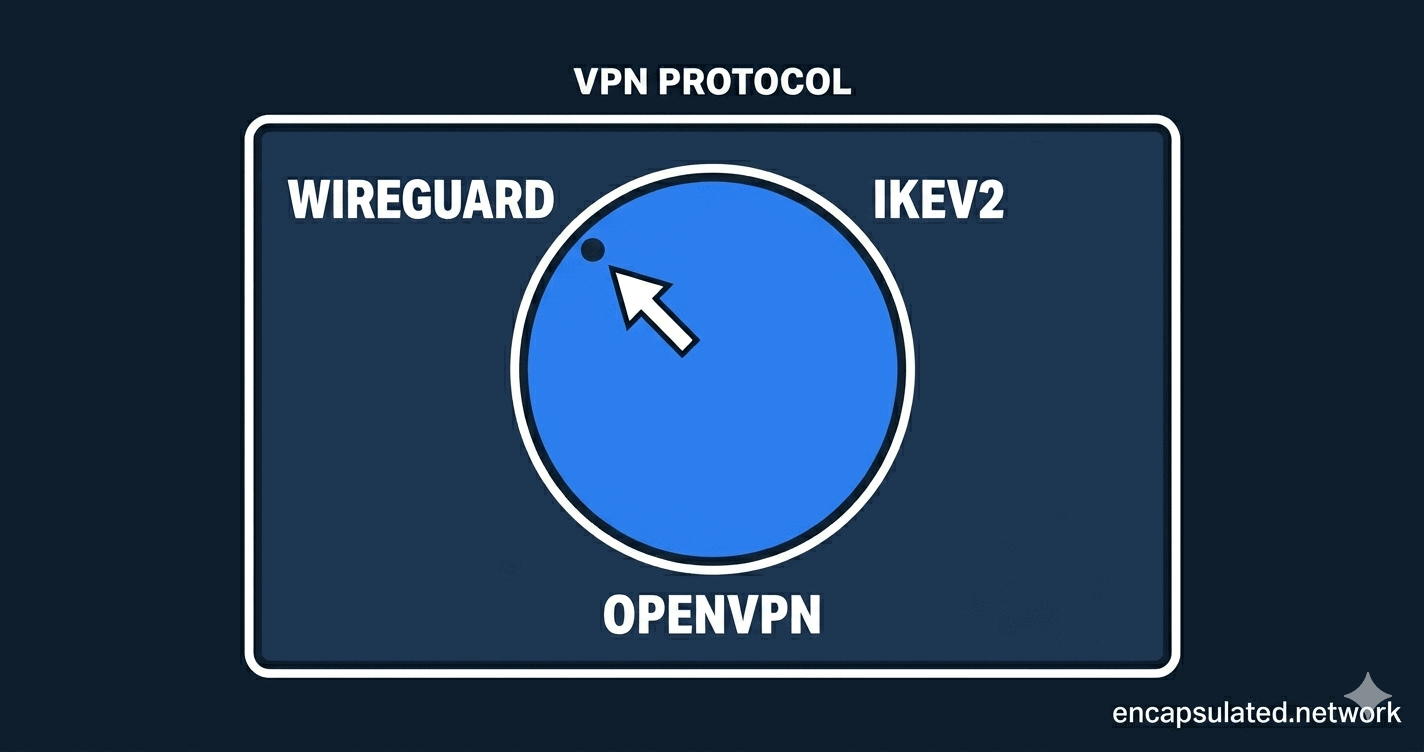
You opened your VPN app and it asked you to choose a protocol. WireGuard. OpenVPN. IKEv2. Maybe a few others with names you didn’t recognise. Most people leave it on the default and move on — and that’s usually fine. But your protocol choice has real consequences: how fast your connection runs, how much battery it burns through, and whether your VPN works at all on restrictive networks. This guide explains every major protocol in plain English, shows you exactly how they compare, and tells you which one belongs in your settings.
What Is a VPN Protocol?
A VPN protocol is the set of rules that governs how your device and the VPN server build the encrypted tunnel between them — how they find each other, prove they’re who they say they are, and agree on how to protect your data in transit. Think of it as the construction standard for the tunnel itself, not the lock on the door.
The protocol is separate from the encryption algorithm. Encryption determines the strength of the lock. The protocol determines how the tunnel is built, maintained, and torn down. Different protocols make different trade-offs across four variables that actually matter to you: speed, battery life, security, and the ability to work on networks that try to block VPN traffic.
In 2026, most users will encounter five protocols: WireGuard, OpenVPN, IKEv2/IPsec, L2TP/IPsec, and PPTP. Three of them are worth using. Two of them you should avoid entirely. Here’s what you need to know about each.
WireGuard — The New Speed Standard
WireGuard was merged into the Linux kernel in 2020 and has since become the default protocol at every major VPN provider worth using. For most people in 2026, this is the right choice — and the reasons come down to three things: speed, battery life, and the security benefits of simplicity.
Why WireGuard Is the Fastest Protocol
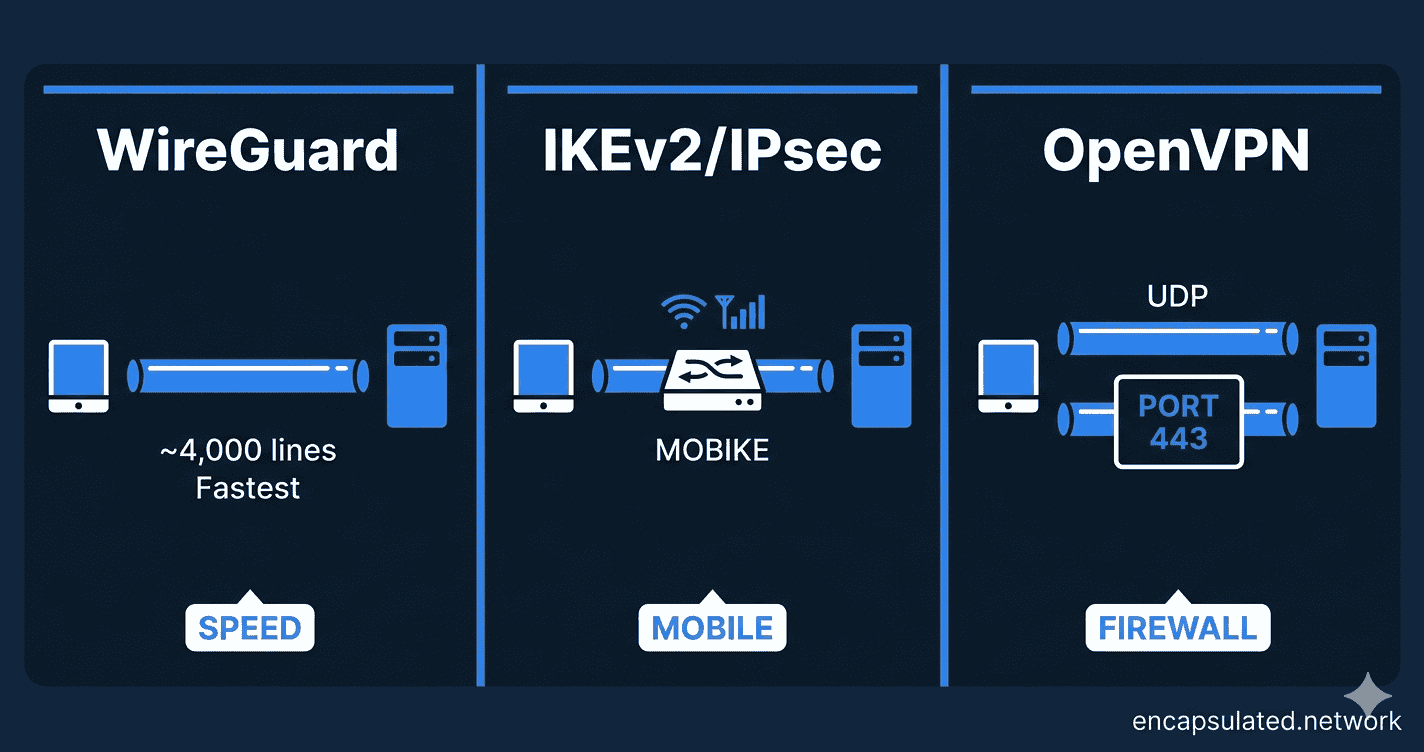
WireGuard’s codebase is approximately 4,000 lines of code. OpenVPN’s core daemon alone runs to around 100,000 lines — and the full dependency chain climbs considerably higher. This isn’t just a trivia point: a smaller codebase means less overhead, fewer places for bugs to hide, and a smaller attack surface for security researchers to audit. WireGuard establishes connections in under 100 milliseconds. That near-instant handshake is why it feels snappier than other protocols when toggling your VPN on and off.
WireGuard also runs in kernel space — directly inside the operating system rather than as a separate application on top of it. This eliminates a layer of overhead that other protocols carry, which is where WireGuard’s real-world speed advantage comes from. Independent benchmarks consistently put it as the fastest mainstream protocol available.
Modern Security — Fixed Cryptographic Primitives
WireGuard uses a fixed set of modern cryptographic algorithms: Curve25519 for key exchange, ChaCha20-Poly1305 for data encryption, and BLAKE2s for hashing. There is no negotiation, no legacy cipher fallback, no way for a misconfigured server to accidentally offer weaker encryption. You get one strong option — and that is the right design choice.
Some call this lack of “cryptographic agility” a limitation. In practice, it is a feature: fewer configuration choices means fewer ways to get the configuration wrong. The chosen algorithms are considered strong against all known attacks. If you want the full WireGuard vs. OpenVPN security and speed breakdown, read our dedicated comparison.
Battery Life — Why WireGuard Is Kinder to Your Phone
WireGuard is significantly more power-efficient than older protocols. Its tunnel goes quiet during idle periods — and while configurable keepalive packets are used for NAT traversal (typically every 25 seconds), this is far lighter than the continuous traffic overhead of OpenVPN. CPU usage in typical operation sits under 5%. In real-world mobile tests, WireGuard can consume 20–30% less battery than OpenVPN over the same usage period — a meaningful difference if you run a VPN all day. For the full picture of how VPN protocols affect your battery, see our guide on VPN battery drain on mobile.
OpenVPN — The Battle-Tested Workhorse
OpenVPN has been in production since 2001. That is not a weakness — a protocol battle-tested for 25 years and still widely trusted has earned its reputation. In 2026, its advantages are specific rather than general. But in the two scenarios where it wins, nothing else comes close.
UDP vs. TCP — and When Each One Matters
OpenVPN runs in two modes, and the difference is significant.
UDP mode is the faster option. It sends packets without waiting for confirmation that each one arrived — lower overhead, better performance on stable connections. Use this for streaming and gaming when network conditions are reliable.
TCP mode is OpenVPN’s most important remaining advantage over WireGuard. When OpenVPN runs over TCP on port 443 — the same port used by standard HTTPS web traffic — it becomes very difficult for a firewall to distinguish it from normal browsing. WireGuard uses UDP exclusively, which means it can be blocked by any network that drops non-TCP traffic on unusual ports. If your VPN fails to connect at work, in a hotel, or in a country with heavy internet restrictions, OpenVPN on TCP port 443 is usually the answer.
One important caveat: this is not true obfuscation. Advanced deep packet inspection can still identify OpenVPN traffic if someone is specifically looking for it. For environments with that level of scrutiny, you would need a provider with a dedicated stealth layer on top. But for most restrictive networks, TCP 443 is enough to get through.
Why 20 Years of History Is a Feature
OpenVPN has been audited extensively over its lifetime. It supports a wide range of cipher configurations, authentication backends, and client certificate management — making it the standard choice for enterprise deployments and self-hosted VPN servers that need protocol-level control WireGuard doesn’t offer.
OpenVPN DCO (Data Channel Offload) has also significantly narrowed the speed gap by moving OpenVPN’s data channel into kernel space on supported systems. It doesn’t make OpenVPN faster than WireGuard — but it makes the difference less dramatic than it was in 2020. We’ve covered OpenVPN DCO in detail in a dedicated article.
IKEv2/IPsec — The Mobile Connectivity King
IKEv2/IPsec is the protocol most people have never heard of — and the one that quietly handles more mobile VPN connections than almost anything else. Developed by Microsoft and Cisco, it is built directly into Windows, iOS, and macOS at the operating system level, which means it can be configured manually without installing a third-party VPN app.
Seamless Switching with MOBIKE
IKEv2’s standout feature is the MOBIKE extension — Mobility and Multihoming Protocol. When your device changes networks — moving from Wi-Fi to 5G, switching between cell towers, or reconnecting after a signal drop — MOBIKE allows the VPN session to survive the transition without dropping and re-establishing the connection from scratch.
In practice, this means your VPN stays connected as you walk out of a coffee shop and onto a mobile signal. OpenVPN and WireGuard both handle network switching, but IKEv2 was specifically engineered for it and re-establishes connections measurably faster when signal is temporarily lost. For commuters, travellers, and anyone whose device moves between networks constantly throughout the day, this is a genuine advantage.
Performance and Battery Behaviour
IKEv2 is fast — typically retaining around 80% of your base internet speed, placing it between WireGuard and OpenVPN in real-world throughput. Battery behaviour is solid: better than OpenVPN, not quite at WireGuard’s level. It is a capable all-round protocol, and if your VPN provider supports it alongside WireGuard, mobile users in particular should consider it a legitimate alternative depending on their usage pattern.
Protocols You Should Avoid
L2TP/IPsec — The Slow Legacy Option
L2TP/IPsec is a two-step process: L2TP creates the tunnel, and then IPsec encrypts it separately. This double-encapsulation adds overhead without delivering any security advantage over modern alternatives. It is slower than WireGuard, IKEv2, and even OpenVPN, and most reputable VPN providers are quietly phasing it out. For Windows Server administrators specifically: Microsoft formally deprecated L2TP/IPsec from RRAS in October 2024, naming IKEv2 and SSTP as the supported replacements for Windows deployments.
Verdict: Avoid unless you are dealing with a legacy compatibility requirement that leaves you no other option.
PPTP — Never Use This
PPTP was developed in 1996 by a Microsoft-led consortium and formally specified in RFC 2637 in 1999. Its MS-CHAPv2 authentication mechanism has been demonstrated to be crackable in under 24 hours — a 2012 analysis by Moxie Marlinspike showed it was equivalent to brute-forcing a single DES key. There is no privacy or security use case where PPTP is acceptable in 2026. It should not appear in any serious VPN application.
The only theoretical remaining use for PPTP is bypassing a basic geographic restriction on a non-sensitive stream where you genuinely do not care about privacy — which describes almost no one reading this article.
Verdict: Never use PPTP.
Proprietary Protocols — What VPN Providers Build on Top
Many VPN providers ship their own protocol alongside or instead of the open standards above. NordVPN’s NordLynx is built on WireGuard. ExpressVPN’s Lightway is an independently developed lightweight protocol built on DTLS/wolfSSL — a fundamentally different architecture from WireGuard, which ExpressVPN built after deciding WireGuard didn’t meet their requirements. Hotspot Shield’s Hydra takes yet another approach.
These protocols are not equal in terms of transparency. Lightway is open-source and has been independently audited by Cure53 multiple times — it is more comparable to OpenVPN than to a black-box proprietary system. NordLynx inherits WireGuard’s open codebase while adding a double-NAT layer on top. Hydra, by contrast, is fully proprietary and not independently auditable. When evaluating any provider’s custom protocol, the questions to ask are: is the core code publicly available, and has it been audited by a named third party?
A distinct category is protocol forks — implementations that modify WireGuard’s packet structure itself rather than wrapping it. AmneziaWG is the principal example currently in production use.
Protocol Comparison — At a Glance
Here is how the three protocols worth using compare across the dimensions that matter most for everyday decisions:
| Feature | WireGuard | IKEv2/IPsec | OpenVPN (UDP) | OpenVPN (TCP) |
|---|---|---|---|---|
| Speed | Fastest | Fast (~80% retention) | Moderate (~70% retention) | Slower than UDP |
| Mobile stability | Good | Excellent (MOBIKE) | Fair | Fair |
| Battery life | Excellent | Good | Poor | Poor |
| Firewall bypass | Limited (UDP only) | Limited | Limited | Excellent (port 443) |
| Codebase size | ~4,000 lines | Varies by implementation | ~100,000+ lines (core daemon) | ~100,000+ lines (core daemon) |
| Native OS support | Linux, Android, iOS, macOS, Windows (app required) | Windows, iOS, macOS (built-in) | All platforms (app required) | All platforms (app required) |
| Best for | Daily use, gaming, streaming | Commuters, frequent network switching | Speed on stable connections | Restricted networks, corporate firewalls |
| Avoid if… | Your network blocks UDP traffic | Your provider doesn’t support it well | You’re on a restrictive network | Speed is your only priority |
Which VPN Protocol Should You Use?
The right protocol depends on what you are doing and where you are doing it. Here is the clearest way to think about it:
| Your situation | Use this protocol | Why |
|---|---|---|
| Everyday browsing and general use | WireGuard | Fastest, most efficient, best all-round |
| Gaming or streaming | WireGuard | Lowest latency, highest throughput, minimal jitter |
| Commuting — frequently switching between Wi-Fi and mobile data | IKEv2/IPsec | MOBIKE keeps the session alive through network changes |
| VPN not connecting at work, in a hotel, or in a restricted country | OpenVPN (TCP, port 443) | Traffic is indistinguishable from standard HTTPS to most firewalls |
| Windows user on a restricted network — no software installation possible | SSTP | Native to all Windows versions; uses TCP port 443 by design; no third-party app required |
| Self-hosted or enterprise VPN server | OpenVPN | Maximum configurability, auth backend support, legacy hardware compatibility |
| No protocol option in your VPN app | Whatever the app defaults to | Major providers default to WireGuard — you’re likely already on the right setting |
For streaming devices (Amazon Fire TV Stick, Fire TV Cube): WireGuard is the correct default where the provider app offers it. For the full protocol setup and OS-specific considerations — including Vega OS devices where standard sideloading is unavailable — see the Firestick VPN setup guide.
A Note on Post-Quantum Security
Quantum computers capable of breaking today’s encryption do not yet exist — most researchers estimate cryptographically relevant machines are at least a decade away. But a threat model called “Harvest Now, Decrypt Later“ is already in play: adversaries collect encrypted VPN traffic today, intending to decrypt it once quantum hardware catches up. For journalists, lawyers, activists, and anyone handling long-term sensitive data, this is worth understanding now.
Both WireGuard and IKEv2 are theoretically vulnerable to quantum-capable attacks on their key exchange mechanisms. Both protocols support Post-Quantum Pre-shared Keys (PQ-PSK) as a mitigation layer, and some VPN providers are already implementing this. For the full breakdown — including which providers are moving first and what NIST’s finalized post-quantum standards mean in practice — see the post-quantum section in our WireGuard vs. OpenVPN comparison.
For most users, post-quantum security is not a deciding factor today. But it is an area to watch when choosing a provider.
Does Your Protocol Choice Affect Your Privacy?
This is one of the most common misunderstandings about VPN protocols — and it is worth clearing up directly.
Your protocol determines how your tunnel is built. It does not determine whether your VPN provider logs your activity once the traffic arrives on their server. A WireGuard connection through a provider that keeps detailed logs is far less private than an OpenVPN connection through a provider with a verified no-log policy.
Protocol choice is about performance and connectivity. Privacy is about your provider’s data practices. The two are separate decisions, and conflating them is how people end up with fast connections through services that are quietly recording everything. We cover what no-log VPN policies actually mean in practice — including the audit standards, jurisdiction considerations, and real-world legal tests that separate a verified claim from a marketing sentence — in a dedicated guide. For the foundational picture of how VPN encryption works, start with our guide on how a VPN actually works.
For a technical explanation of what AES-256-GCM and ChaCha20-Poly1305 actually do at the cipher level — including why the GCM mode matters more than the key length — see VPN Encryption Explained.
The Bottom Line
VPN protocols are not all equal — but the decision tree is simpler than the list of names suggests.
For the vast majority of users, WireGuard is the right answer. It is the fastest mainstream protocol available, the most battery-efficient on mobile, and has the smallest, most auditable codebase of any option. Every reputable VPN provider supports it. If your app offers it and your network doesn’t block it, there is no reason to use anything else for everyday browsing, streaming, or gaming.
OpenVPN earns its place in two specific situations. When WireGuard’s UDP traffic is being blocked — at work, in a hotel, or in a country with heavy internet censorship — OpenVPN running on TCP port 443 is the tool that gets through. And for self-hosted or enterprise deployments that need fine-grained configuration control, OpenVPN’s flexibility is still unmatched.
IKEv2 is the underrated option for mobile users. If you commute, travel frequently, or your device regularly moves between Wi-Fi and mobile data, IKEv2’s MOBIKE extension keeps your session alive through network transitions in a way that WireGuard and OpenVPN were not specifically designed to handle.
Beyond protocol choice, the more important variable is your VPN provider’s data practices. A fast WireGuard connection through a provider that logs everything is not private. A slower OpenVPN connection through a provider with a verified no-log policy is. The protocol gets you connected and keeps you fast — your provider’s policies determine whether you are actually protected. We cover what no-log policies really mean, and how to verify them, in a dedicated guide.
If you want to go deeper on the WireGuard vs. OpenVPN question specifically — including the hardware acceleration shift, the static IP privacy concern, and which providers handle each protocol best — read our full WireGuard vs. OpenVPN comparison. For a grounding in how VPN tunnels actually work before diving into protocol specifics, start with how a VPN actually works.
Frequently Asked Questions
What is the safest VPN protocol in 2026?
WireGuard is considered the most secure mainstream VPN protocol in 2026. Its fixed cryptographic suite — Curve25519, ChaCha20-Poly1305, and BLAKE2s — uses modern algorithms with no legacy fallback options. Its small codebase makes it the most auditable of the mainstream protocols. OpenVPN has an excellent security track record from 25 years of independent audits. Both are well ahead of PPTP and L2TP, which should not be used at all.
Is WireGuard better than OpenVPN?
For most users in most situations, yes. WireGuard is faster, more battery-efficient, and has a simpler codebase that is easier to audit. OpenVPN still wins in two specific scenarios: when you need to bypass a firewall that blocks UDP traffic (OpenVPN can run on TCP port 443, which looks like standard web traffic), and when you need the configurability of an enterprise or self-hosted deployment. If your only concern is everyday privacy, speed, and battery life, WireGuard is the better choice. For a detailed head-to-head, see our full WireGuard vs. OpenVPN comparison.
Why does my VPN app let me choose a protocol?
Because different protocols are better suited to different situations. WireGuard is the fastest choice for everyday use, but it can be blocked on restrictive networks where OpenVPN’s TCP mode is needed. IKEv2 handles network switching better than either. VPN providers expose the setting so users can adapt when one protocol fails to connect — for example, switching from WireGuard to OpenVPN TCP when a hotel network blocks UDP traffic. For most users most of the time, the default setting (usually WireGuard) is the right one.
Can my ISP see which VPN protocol I am using?
In most cases, yes — your ISP can see that you are connected to a VPN server and can often identify the protocol from traffic patterns, even though they cannot see the content of your traffic. OpenVPN running over TCP on port 443 is harder to identify because it resembles standard HTTPS traffic, though advanced deep packet inspection can still detect it. WireGuard’s UDP traffic is easier to identify by port and packet structure. If protocol fingerprinting is a concern for your threat model, look for a VPN provider that offers an obfuscation or stealth mode on top of the standard protocol.
What is MOBIKE and why does it matter for mobile users?
MOBIKE (Mobility and Multihoming Protocol) is an extension built into IKEv2/IPsec that allows a VPN session to survive when your device changes networks — for example, moving from a Wi-Fi connection to a mobile data connection, or switching between cell towers. Instead of dropping and re-establishing the connection from scratch, the session is maintained seamlessly in the background. This makes IKEv2 particularly well-suited to mobile users who are constantly moving between networks throughout the day, such as commuters or frequent travellers.
Should I be worried about quantum computers breaking my VPN?
For the vast majority of users, this is not an immediate concern. Quantum computers capable of breaking current VPN encryption do not yet exist and are likely at least a decade away from being practically viable. The more relevant threat is “Harvest Now, Decrypt Later” — where adversaries record encrypted traffic today to decrypt it in the future. If you handle long-term sensitive data (legal, journalistic, or political work), it is worth choosing a VPN provider that is already implementing post-quantum key exchange layers. For everyone else, standard WireGuard or OpenVPN provides more than adequate protection today.